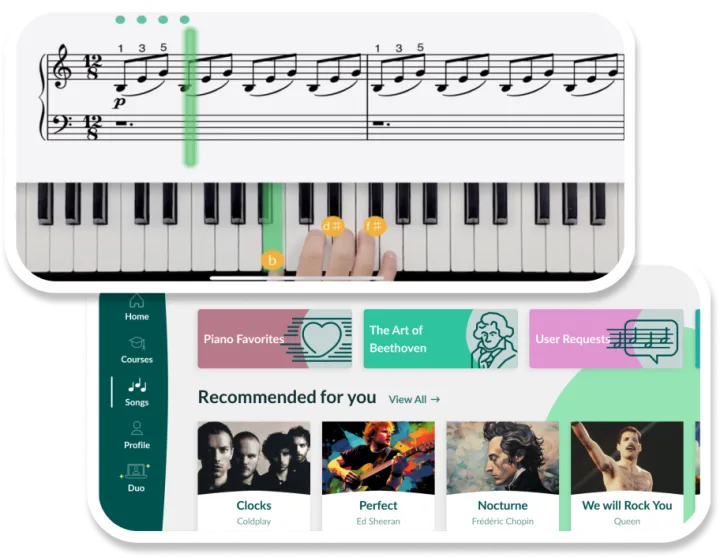


With so many piano apps available today, choosing the right one can feel overwhelming, especially if you’re just starting out. As a piano educator with many years of teaching experience, I reviewed these apps with two perspectives in mind. I used my professional background to evaluate their structure, accuracy, and teaching approach, while also putting myself in the shoes of a beginner piano learner to see what would actually make sense when starting from scratch.
In this guide, I’ll walk you through what I found and, more importantly, what truly matters when choosing the best piano learning app. Rather than telling you there’s one “best” option for everyone, I’ll give you a clear framework to help you decide which app is right for you. Whether you’re completely new to piano or picking it up again after some time, these insights will help you choose an app that fits how you best learn.
How I tested
To make sure my reviews were real, I didn’t just read feature lists. I spent some time using these apps just like you would. Here’s what I focused on when choosing the best piano learning app and what you should keep in mind when picking one for you.
- Real-life experience: I used each app as a real beginner would, working through lessons and progressing through courses; with the added benefit of musical experience and the hindsight of an experienced musician and educator.
- Time spent: I spent several hours using each app, spread across multiple days, in short beginner-friendly bursts. This was to see how the app felt over time, not just after a quick session for a brief overview.
- Learning experience: I paid close attention to the ease of learning, feedback quality, lesson structure and whether the app had enough songs and variety to keep me engaged.
Which app is best for you?
To make your choice easier, I have boiled down all the key features of these apps into a handy table to make searching for the best app for learning piano for you easier.
| App | Best For | Pricing (USD) | Free Trial / Free Content |
|---|---|---|---|
 |
Beginners and kids 6+ with parents building real piano skills smoothly | $29.99/month, $59.99/3 months, $149.99/year | 7-day free trial + free basic lessons |
 |
Returning learners who want to play songs fast | $24.95/month, $224.99/ year | 7-day free trial + basic free courses |
 |
Learners who need motivation and structure | $67.99/year (Premium), $94.15/year (Premium+) | 7-day free trial + limited free mode |
 |
Learners who want a structured, course-like path | $14.99/month, $89.99/year, $217.49 lifetime | 14-day free trial (no card needed) |
 |
Kids, families, and young beginners | $24/month, $239/year (Premium) | 300+ free video lessons |
 |
Learners who prefer teacher-led instruction | $40/month, $240/year (All-Access) | 30-day free trial |
 |
Players focused mainly on learning songs | $29.99/3 months, $59.99/year | Limited free songs + 1-day premium trial |
 |
Visual learners and cautious beginners | $19.99/month, $41.99/3 months, $119.99/year | 7-day free trial + free starter lessons |
 |
Adults who want quick, song-based results | $97/month (course) | Free intro lessons |
Here are my overall thoughts on the strengths of each app.
- Skoove – master the piano with songs you recognize and love
- Yousician – fine-tuning skills with tailored music workouts
- Hoffman Academy – a great way for kids to learn online
- Online Pianist – a focus on great song selection
- Musora – improving piano skills with expert-led video lessons
- Playground Sessions – structured piano lessons with well-known instructors
- Simply Piano – harmonize your play with singer duets
- Piano in 21 Days – unlock the piano in 21 days
- Piano Academy – great encouragement for kids
Let’s have an in depth look at what I found reviewing each of these piano apps.
1. Skoove – best overall
|
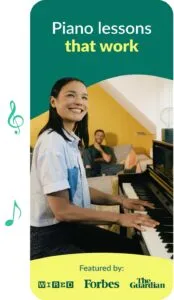
After testing, I can say it’s certainly a solid option for beginners of different ages, whether you’re completely new to piano or returning after a break. The Skoove app feels thoughtfully designed and structured for long-term learning, making early progress feel manageable rather than rushed. With the flexible choice between guided courses and individual lessons, it covers everything from basic music theory to more complex songs. I found this balance intuitive for beginners which keeps sessions engaging without becoming overwhelming.
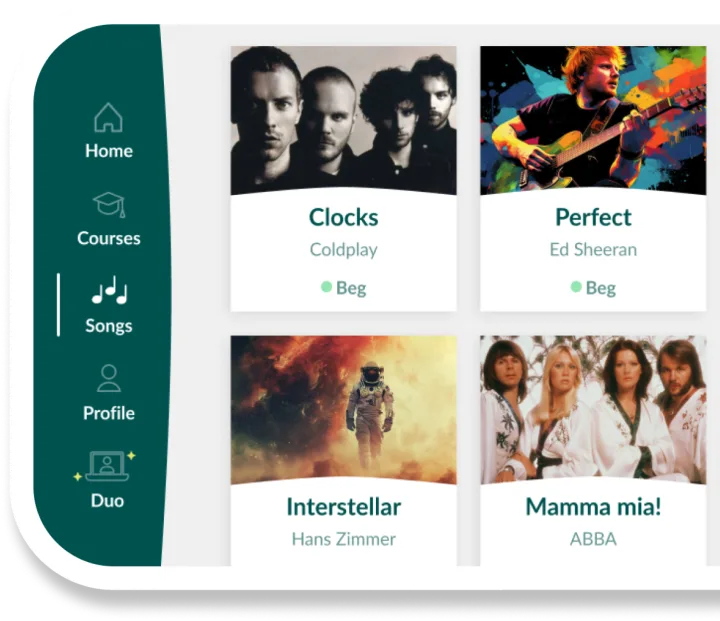
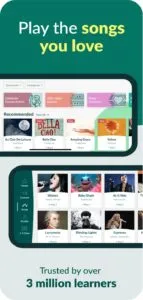
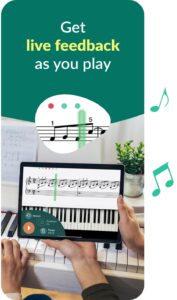
I found that Skoove also goes beyond simply teaching songs by focusing on real piano technique. It emphasizes reading traditional sheet music early on, helping you understand what you’re playing instead of relying only on visual cues. The app offers practical guidance on how to practice, such as slowing sections down, splitting hands and gradually building up to full performance. Skoove listens to your playing and gives real-time feedback on missed or correct notes, which encourages active learning. You can follow a structured path or explore individual songs, with a library of over 800 pieces across pop, classical, rock, and children’s music.
However, I think some users might appreciate the flexibility of the course progression while they pick up a new skill in a busy life. For me, there were times when I felt a little lost without more structured guidance.
What I liked
|
What I didn’t like
|
💡 The verdict
I found Skoove to be a fun and beginner-friendly piano app with a strong focus on building genuine musical literacy, note reading and understanding, not just memorizing songs. Its emphasis on sheet music reading, technique and effective practice habits sets it apart from more gamified falling note style competitors. As I mentioned I would like a little more guidance in terms of a more nuanced progression structure and guidance.
Skoove offers excellent long-term value. If you’re just getting started or want to improve your piano skills gradually and continue progressing to a more advanced level.
2. Piano by Yousician – best for fun gamelike learning
|
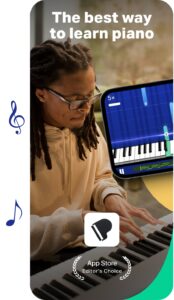
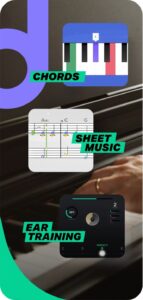
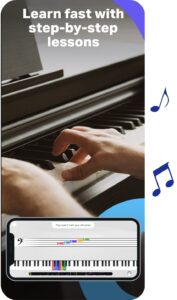
After spending some time with Yousician, I found it to be one of the more gamified piano learning apps available. The Yousician piano app has a focus on turning piano lessons into a more fun and game-like experience, a bit like guitar hero. For beginners or someone looking for a more fun approach, it’s definitely a great choice.
The interface is very slick, introducing you to the app with some great introductory videos. You then get straight into playing along with the app’s intuitive built-in game mechanics.
I did initially like how Yousician’s feedback system worked. It listens to your playing in real-time and gives you instant feedback, just like Simply Piano and Skoove. What really makes Yousician different is the game aspect of the interface. As you play, you level up, earn stars, and move through different ‘missions’. As a music teacher however, I did feel that overall it’s a bit too game-like. This approach is good for beginners, what it makes up for in fun it lacks in learning depth. As I was playing through various songs and challenges, I did feel a mention of technique or deeper theory lessons were sorely needed. It felt like the emphasis was certainly more on playing along with songs as a game rather than really developing a more solid understanding of music fundamentals.
What I liked
|
What I didn’t like
|
💡 The verdict
Yousician is a good choice for beginners who want to learn some basics quickly and have fun. The game-like features and real-time feedback are a great way to keep learners engaged. The wide song library means you can play actual pieces quickly. Although, if you value a focus on technique or music theory, you may find the Yousician app to be a bit lacking. It’s a great game-like way to start your piano journey, but I don’t think it’s the best fit for long-term understanding or development.
3. Hoffman Academy – best for kids & budget-friendly learning
|
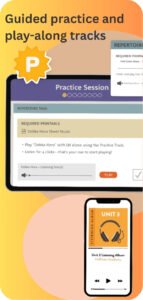
I started out exploring the Hoffman Academy app from the perspective of a beginner musician and teacher. What I found was a fun video‑led course that builds confidence and basic skills. It has a focus on real music understanding and playful learning makes it a strong choice in its niche. The lessons are taught by a piano educator that feels almost like a real teacher sitting beside you.
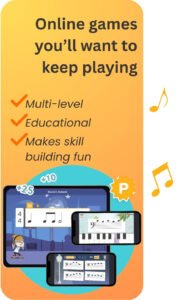
Hoffman Academy piano lessons use a ‘learn by doing’ method where you watch a video, then based on the lesson content. You’re not just playing notes, you’re also introduced to rhythm, music theory basics and bits of ear training through lessons that feel fun and engaging. This made the learning process feel less intimidating and more like a real student teacher experience.
One limitation of the Hoffman Academy piano is that it doesn’t have interactive features, just the lesson video, print outs and audio of the songs. There’s no real‑time feedback as you play. This something I really missed compared to previous apps as feedback is such a key part of the learning process. For that reason, the experience feels a bit more like YouTube lessons rather than guided practice with feedback.
What I liked
|
What I didn’t like
|
💡 The verdict
I think Hoffman Academy is a good choice for motivated beginners or anyone who wants a foundational start at the piano. The lessons are friendly and build real music understanding without pressure. However, for learners who want interactive feedback, structured progression tailored to adult learning goals and long‑term skill building, Hoffman feels a bit limited.
4. Online Pianist – best for songs lessons
|
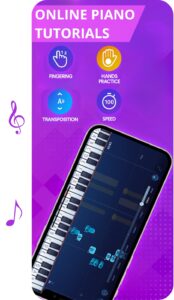
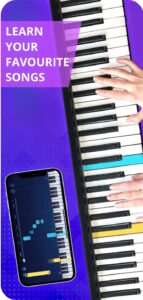
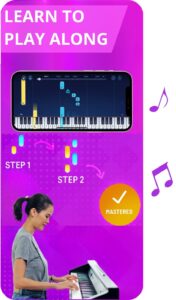
Through my testing of the app I found that Online Pianist is very much about song learning first. If your main goal is to sit down and play songs you recognize Online Pianist will give you that. In terms of building fundamental skills development it doesn’t go as deep as some other apps.
Right away, as I opened the app I was thrown into a play‑along song library that felt like a button pressing game rather than a piano learning app. Online Pianist shows you what to play but it doesn’t listen to what you’re playing or give corrections as you go. I think this app is perfect if your goal is music playback and memorization. However, you may miss out on technical improvement without any feedback
What I liked
|
What I didn’t like
|
💡 The verdict
I think that Online Pianist is a great tool if you’re looking for a quick and enjoyable learning process to get you playing songs. It’s probably the best app for you if you’re just looking for a fun play‑along style app with customizable songs and tools. I found it to be fun and accessible if you love jumping straight into music you recognize. However, I do think Online Pianist is not the most complete stand‑alone learning path due to that lack of theory tuition and interactive instruction.
5. Musora – best for community engagement
|
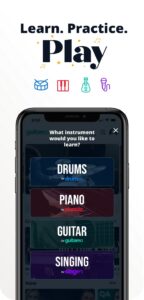
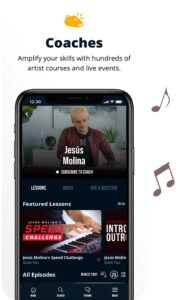
I found that Pianote takes a slightly different direction compared to most other apps I looked at. Instead of relying heavily on real‑time feedback, Pianote focuses on video lessons and community engagement.
The lessons on piano note are taught by real teachers this means it ends up feeling more like a course than a game. You actually get to watch and listen as experienced instructors explain concepts, demonstrate techniques and walk you through songs. It’s a great way to get a solid foundation in both practice and theory.
That said, unlike Skoove or Yousician, Musora does lack instant feedback on the notes you play. This means you’re responsible for self‑checking during practice. While the community and teacher feedback do help, it is not as immediate as an app that listens to you playing in real time and helps you along the way.
What I liked
|
What I didn’t like
|
💡 The verdict
I found that the Pianote app is a great choice if you enjoy video lessons with real teacher interaction through community support. This app will be ideal for you if you’re comfortable learning at your own pace and appreciate clear explanations. I did feel that it feels more like a virtual piano course than a typical ‘play along’ which did make it a contender for the piano app for adults but I think kids or new learners may struggle with the lack of feedback. This could be really empowering for learners who thrive with deeper instruction. If you are looking for something that gives you feedback while you play Musora it can be limited.
6. Playground Sessions – best for video lessons
|
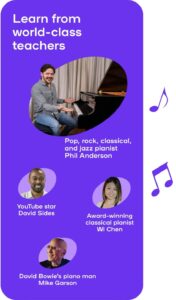
Playground Sessions piano offers a good structured approach. As I opened the app I could tell it was an app for learners who want both structured lessons and lots of songs to play along with. That said, it’s a different experience than the more casual, song-first apps. How it feels depends on what kind of learner you are. The interface takes a bit more time to figure out and is definitely felt more suited to more self motivated learners. In my Playground Session review, I noticed how organized and thoughtful the lesson flow and dashboard felt. Playground Sessions starts with a series of lessons and I appreciated the helpful videos and walkthroughs that the courses offered. I did have some trouble with the interactive feedback when using the app and found this to be the main drawback as I couldn’t measure my performance as well as the other apps we have looked at so far, so learners may need to self-assess their performance or supplement with additional practice.
What I liked
|
What I didn’t like
|
💡 The verdict
The Playground app impressed me as a well‑rounded, structured piano learning app that does a good job of balancing more serious instruction with engaging play‑along features. It’s a strong choice for beginners and intermediate players who want solid things to practice and lots of songs to practice with. That said, it does work best with a digital piano or MIDI controller, and if you’re wanting a lighter, more fun based experience, you may find some lessons feel too heavy and academic as a beginner.
7. Simply piano – best for returning learners
|
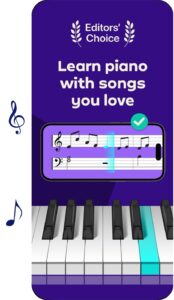
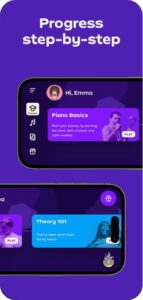
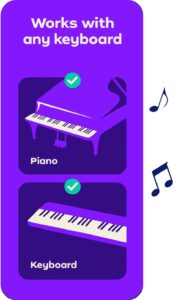
Simply Piano is one of the most popular piano learning apps on the market. After testing it, I can confidently say that Simply Piano does excel at motivating returning learners to keep playing and get back into practicing quickly. It has a fun and engaging interface with real-time feedback. However, it’s not without its limitations, especially when it comes to music theory or more long-term development.
From the moment you open the Simply piano app, I was prompted to start learning a song. This makes it feel like a fun, interactive experience rather than a more formal class. You’re not just watching videos, you’re immediately playing real music.
However, while Simply Piano is a great choice for song learning, I couldn’t help but notice that it simplifies things a bit too much. With the Simply Piano sheet music and the lessons, it is very much focused on helping you play songs quickly, but sometimes that means skipping over important foundational elements like music theory or proper technique. If you’re someone who wants to understand why you’re playing something or dig deeper into piano concepts, this might feel a bit limited. I found that the real time feedback is also good but lacks nuance as it missed when I made some mistakes.
What I liked
|
What I didn’t like
|
💡 The verdict
Simply Piano is an app for returning learners who want to get straight into learning songs quickly. Its wide song and exercise selection is motivating and enjoyable. This does make it easy to feel like you’re progressing and learning quickly. However, it can make you feel a little rushed through the process at times. If you’re looking for a more comprehensive learning experience with a focus on technique and theory, you may be a bit disappointed. I think it’s perfect if you’re interested in learning songs and gaining a basic understanding of piano, but it’s not as suited for players who want to dive deeper into the instrument.
8. Piano in 21 Days – best for a quick intro to piano
|
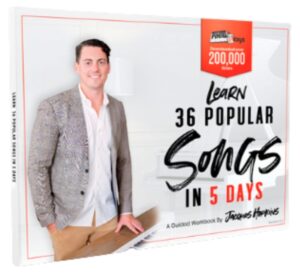
Piano in 21 Days is a unique online piano course that promises to help you play real songs in a short, structured time frame, 21 days. After reviewing the course I can say that it’s a compelling choice for a beginner’s piano course. If your goal is to start playing songs quickly and skip heavy theory it’s great. However it doesn’t replace the deeper, more interactive learning experience you get with other apps.
I found this to be like a video‑led piano course rather than a traditional app learning experience. The lessons are given in a series of video modules. This would be refreshing if you’ve felt stuck in long, boring drills before or overly play along based apps. The course works like this: watch a lesson, play along with it and before long you’re playing piano.
Like a lot of the apps we have looked at so far Piano in 21 Days doesn’t listen to your playing and correct you as you go. You’re self‑assessing as you go, you have got the tools and guidance, but no real‑time feedback. As you can imagine that can make a big difference in how you improve over time.
What I liked
|
What I didn’t like
|
💡 The verdict
While conducting my Piano in 21 Days review I found it to be a great option for someone who wants to play songs quickly. The chord‑based and video‑led format helped me feel like I was making real progress in playing songs early on. However, if your goal is real skill development and you enjoy theory, sight reading and continuous improvement Piano in 21 Days has its limits.
9. Piano Academy – best visual play-along app
|
After using the Piano Academy and using it in practice sessions, I walked away with a clear sense of this fun app. I found that Piano Academy strikes a good balance between guided lessons and play‑along song practice
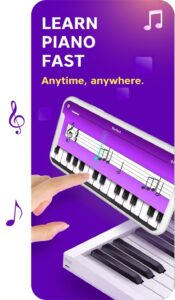
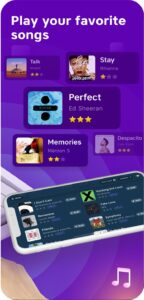
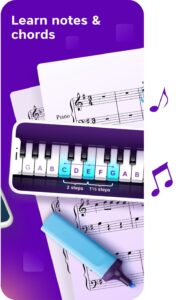
From the start, the experience was intuitive and friendly for beginners. The pacing felt just right, not too slow to feel boring or sluggish. The lessons made use of quality instructional videos and had good visual support for the play along sections. The app highlights notes on a keyboard graphic as the music plays. This makes it easy to follow along, even if you’re not comfortable reading sheet music yet.
The main downside of this app I found is that Piano Academy doesn’t listen to your playing and give you corrections. Instead, the app just assumes you’re playing back what you see on the screen. This does work well for basic practice but doesn’t give you that satisfying feedback loop that really helps beginners improve their timing and accuracy.
What I liked
|
What I didn’t like
|
💡 The verdict
I think that Piano Academy is a solid option for absolute beginners seeking a friendly, visual, and play-along approach to learning basic piano skills. The lessons felt approachable and engaging. The app’s visual guidance makes it easier to follow along while playing, however, I do think for learners who want more meaningful, structured progression or real‑time interactive feedback this app may not be the best choice.
Need help making a decision? Here’s my final thoughts
We have now had a look at all the best apps for learning piano together. As you’re considering everything we have looked at and thinking about the ones you’d like to try, be sure to keep your goals in mind and where you’re at as a learner. Do you want a fast and fun playalong experience? Do you value real-time feedback over video-led courses? Everyone has a different learning style, so everyone’s answers will be different. The best piano app for you is the one that suits your needs.
To help you decide, here’s a quick summary of what I found:
- For a fast and fun playalong experience: Simply Piano, Yousician, Piano in 21 Days
- If you value real-time feedback: Skoove, Simply Piano, Yousician
- For video-led courses: Playground Sessions, Hoffman Academy, Pianote
- For kids and families: Skoove, Simply Piano, Hoffman Academy, Piano Academy
- For structured, long-term progress: Skoove, Playground Sessions, Pianote
I hope this article has helped you make an informed decision on which app to choose to help you on your piano journey. Happy playing!
FAQs
Some piano learning apps actively listen to your playing and give real-time feedback on accuracy and timing. Apps like Skoove, Simply Piano and Yousician do this well, while video-led platforms rely more on self-assessment.
Author of this blog post:
Dominik Schirmer

Dominik Schirmer is a jazz pianist, composer, and songwriter. He studied jazz piano and popular music at the Artez Jazz Conservatory in the Netherlands and continued his education in songwriting and composition at the Liverpool Institute for Performing Arts (LIPA). There, he learned from renowned figures such as Sir Paul McCartney, Tracy Chapman, and Paul Mitchell-Davidson. Dominik received the Greenberg Award for "Expertise in Jazz" and became the youngest and first foreign lecturer to head the composition department at Paul McCartney's university. Currently based in Germany, he performs with his band, composes music, and works as a piano educator. He is also a member of the British Higher Education Academy and has been serving as the Director of Instrumental Teaching at Skoove since 2015.
Published by the Skoove team